Tavonafor iPhone Join the waitlist

Weight · Food · Lifting

Your body’s three numbers, in one calm app.

Tavona reads your scale from a photo, counts a meal from one sentence, and keeps a single set on the screen while you lift. No streaks to keep, nothing in red. Just the number that matters today.

Invites go out a few at a time. One email when it’s yours.

You’re on the list.We’ll write once, when there’s a place for you.

  • iOS 26Built for Liquid Glass
  • OfflineLogs first, syncs later
  • PrivateSign in with Apple
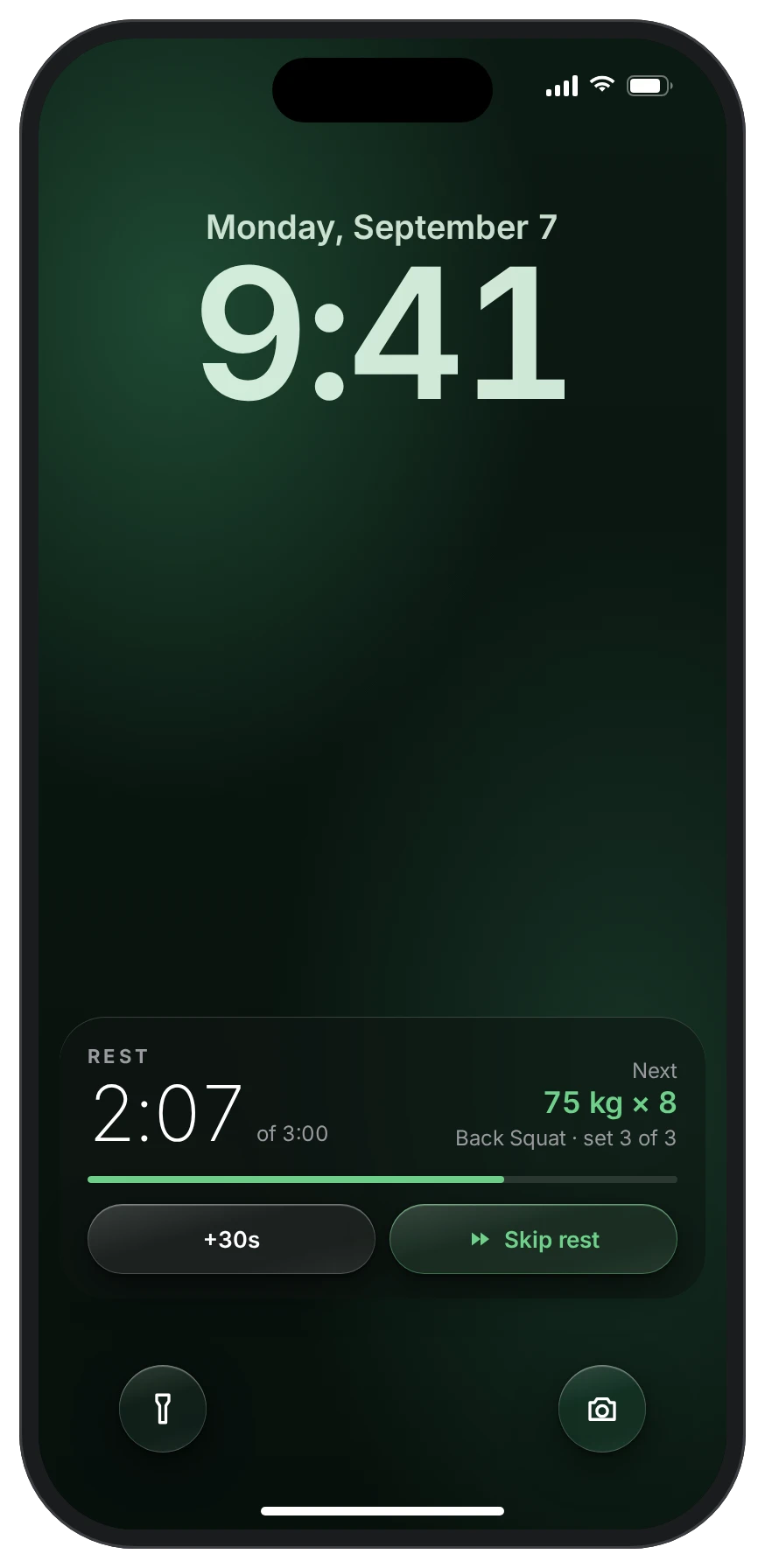
Lock Screen with a rest timer Live Activity: 2:07 left, next set 75 kg for 8, with +30s and Skip rest buttons
Before

Three apps, and none of them talk

Getting stronger and leaner comes down to three numbers. Keeping them usually means three apps.

  1. ScaleA smart-scale app

    …for a scale you’d have to buy, pair, and keep charged.

  2. FoodA calorie counter

    …with a barcode for everything but the dinner you actually cooked.

  3. GymA spreadsheet

    …open on a phone between sets, while the rest timer runs in a fourth app.

Each one keeps its own score, and most of them grade you in red. Tavona puts the three numbers in one place and says them calmly.

Tour

A day with Tavona, one screen at a time

Every screen below is the app as drawn for iOS 26, at its real size and with its real words.

01Morning · Weight

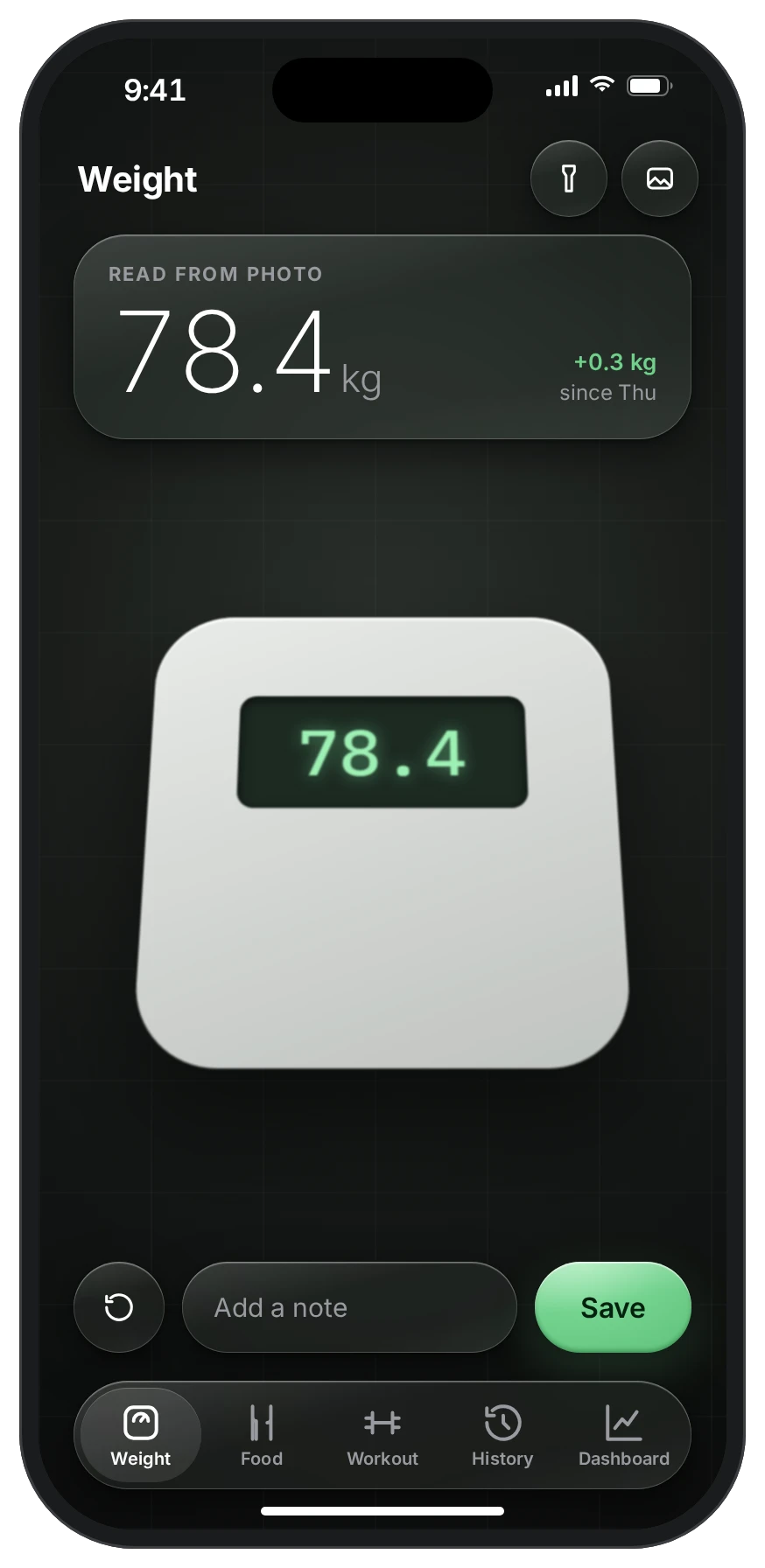
Point at the scale. That’s the weigh-in.

Tavona reads the display of the bathroom scale you already own. No pairing, no typing. Add a note if the day needs one, and save.

If there’s no camera to hand, the same screen lets you type it.

78.4 kgread from photo
+0.3 kgsince Thursday
02Midday · Food

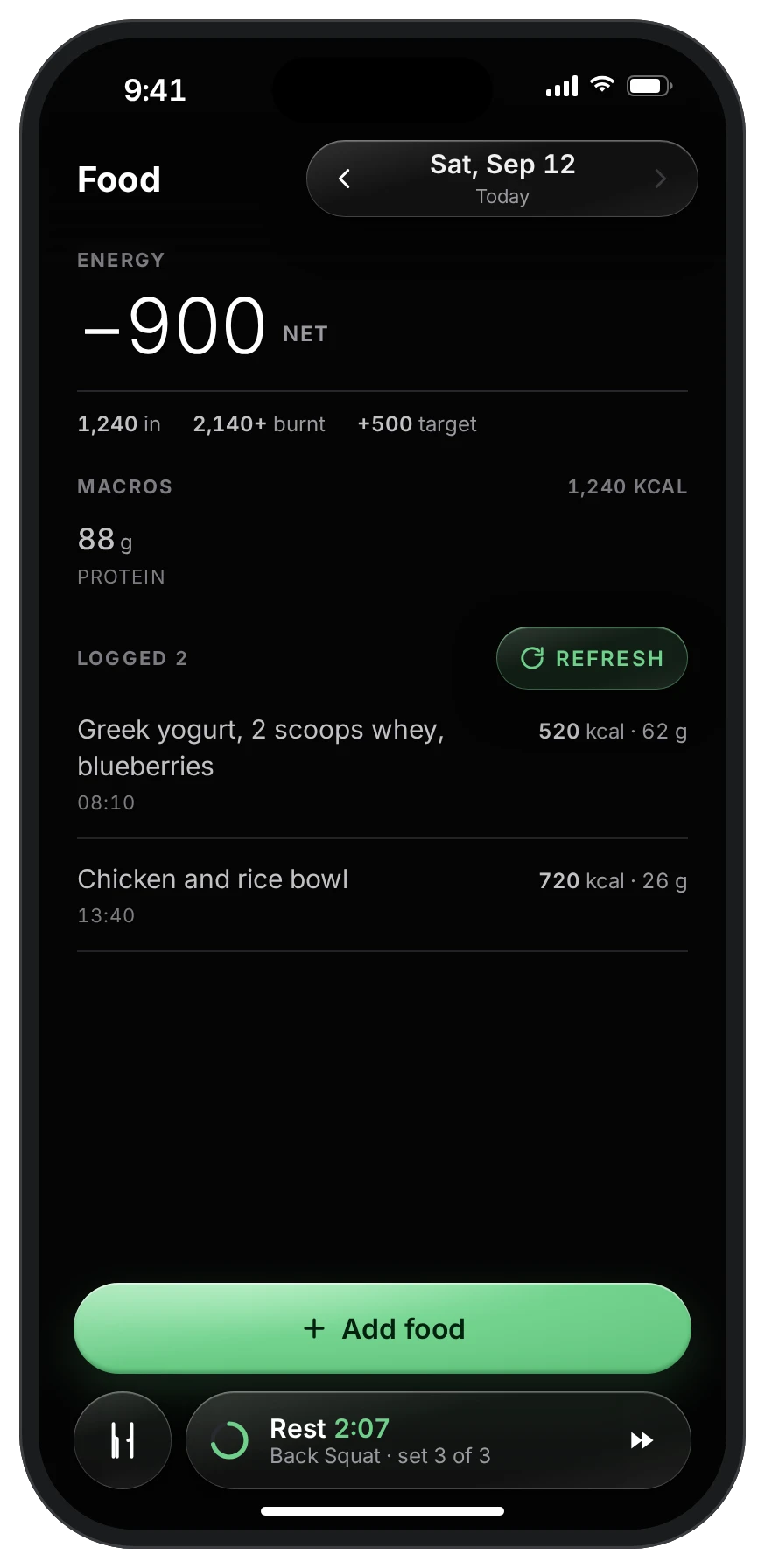
Write what you ate, the way you’d say it.

“Greek yogurt, 2 scoops whey, blueberries.” Tavona works out the calories and protein, then sets the day against what your WHOOP says you burnt.

So the big number is the one that matters: today’s net, against the target you chose.

1,240in
2,140+burnt
−900net
03Evening · Lifting

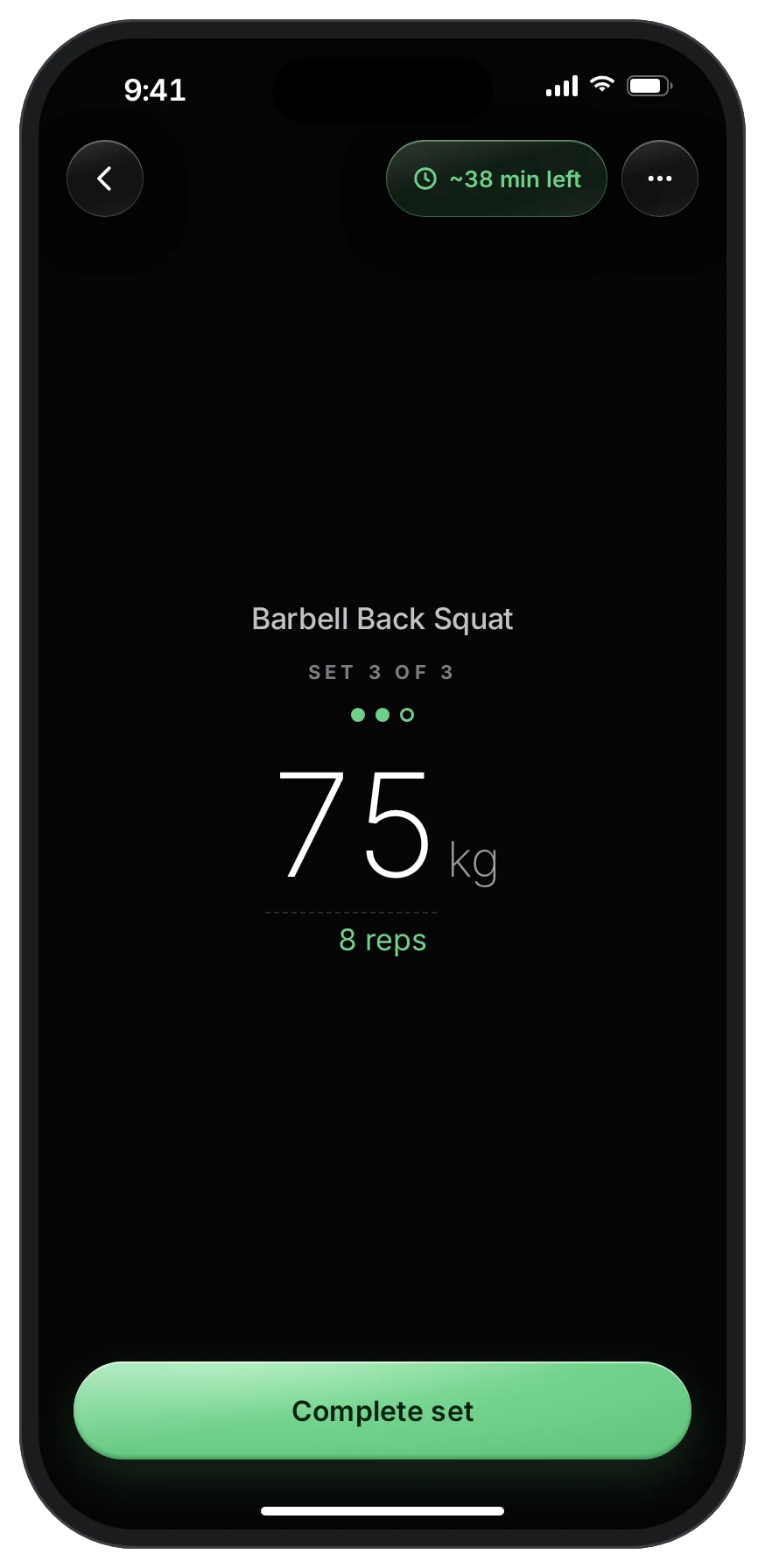
One set on the screen. Nothing else.

A session opens full screen: the lift, the weight, the reps, and one button. Skip, rest settings and reset live behind the ••• so they never get in the way of a heavy set.

Rest counts down on the Lock Screen and in the Dynamic Island, and the session follows you to every tab.

75 kgBack Squat
8reps
3 of 3sets
04Done · Bests

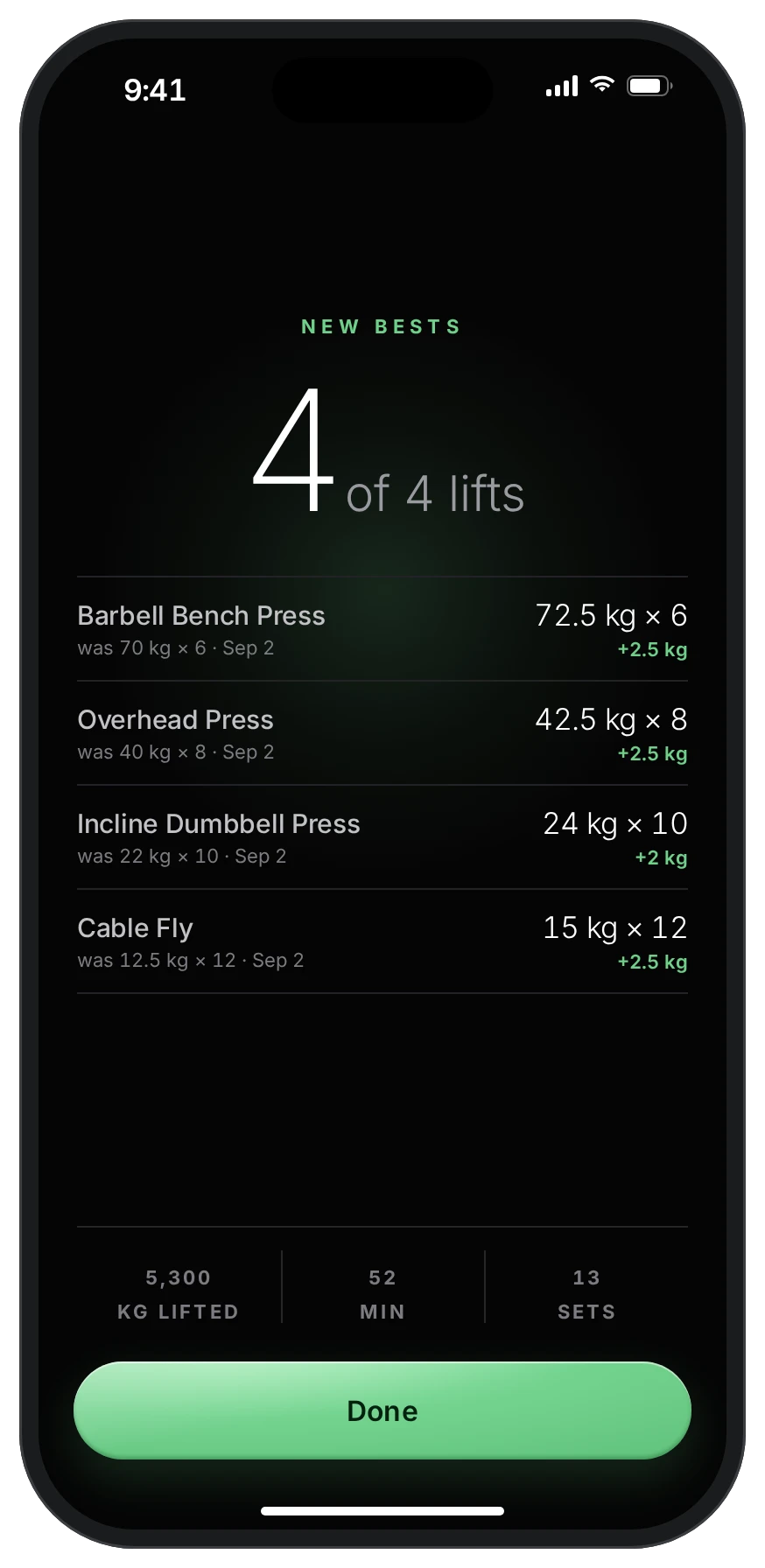
New bests, when you’ve earned them.

Finish and Tavona tells you what you beat, lift by lift, with what it was before. The glow is saved for a record; an ordinary day is allowed to be ordinary.

4 of 4lifts improved
+2.5 kgbench press
05Later · History

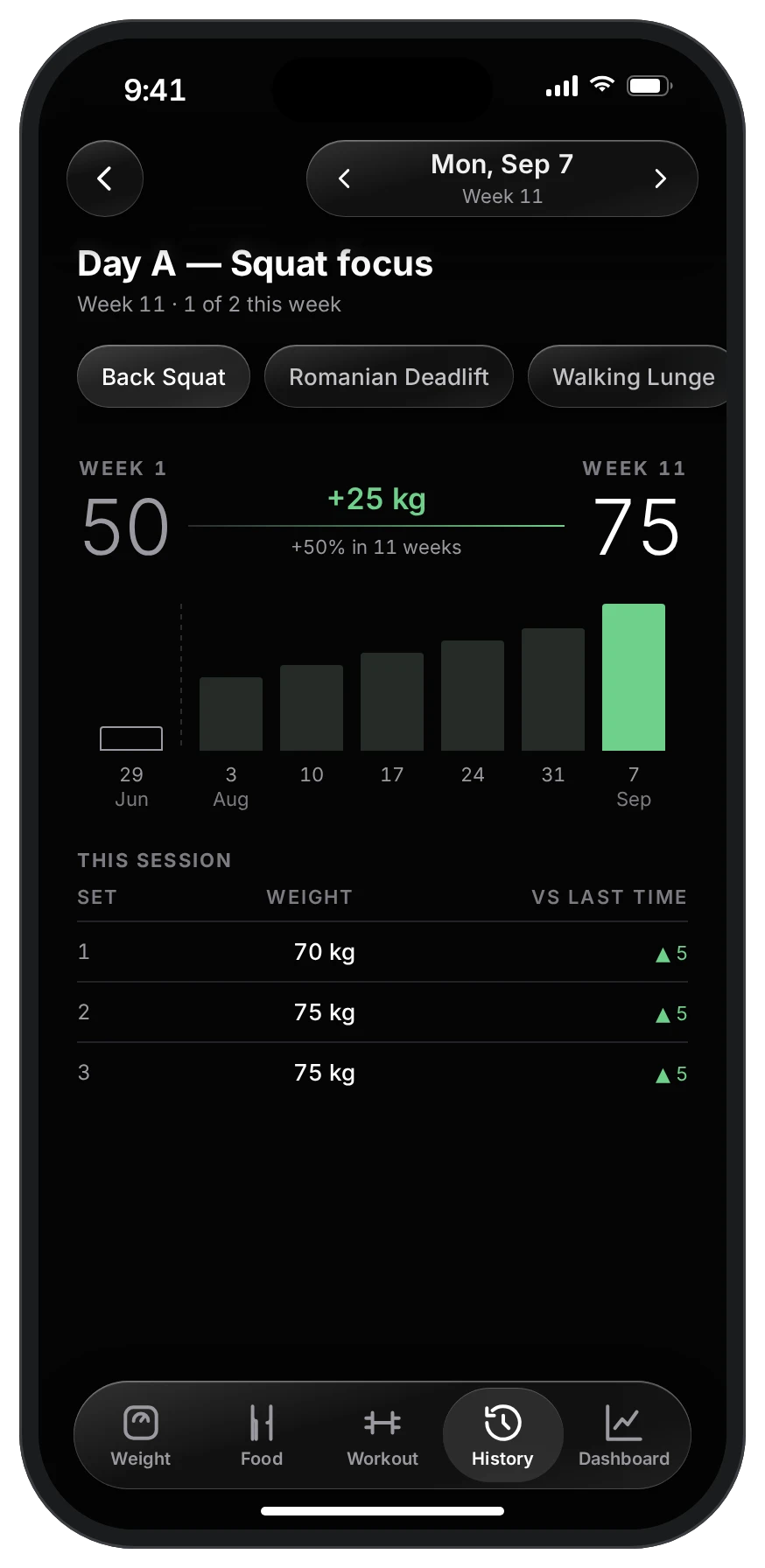
Every set, against last time.

Each lift keeps its own line: where you started, where you are, and how this session compares, set by set. Progress you can read at a glance, with nothing to configure.

50 → 75kg, 11 weeks
+25 kgBack Squat
06Weeks · Dashboard

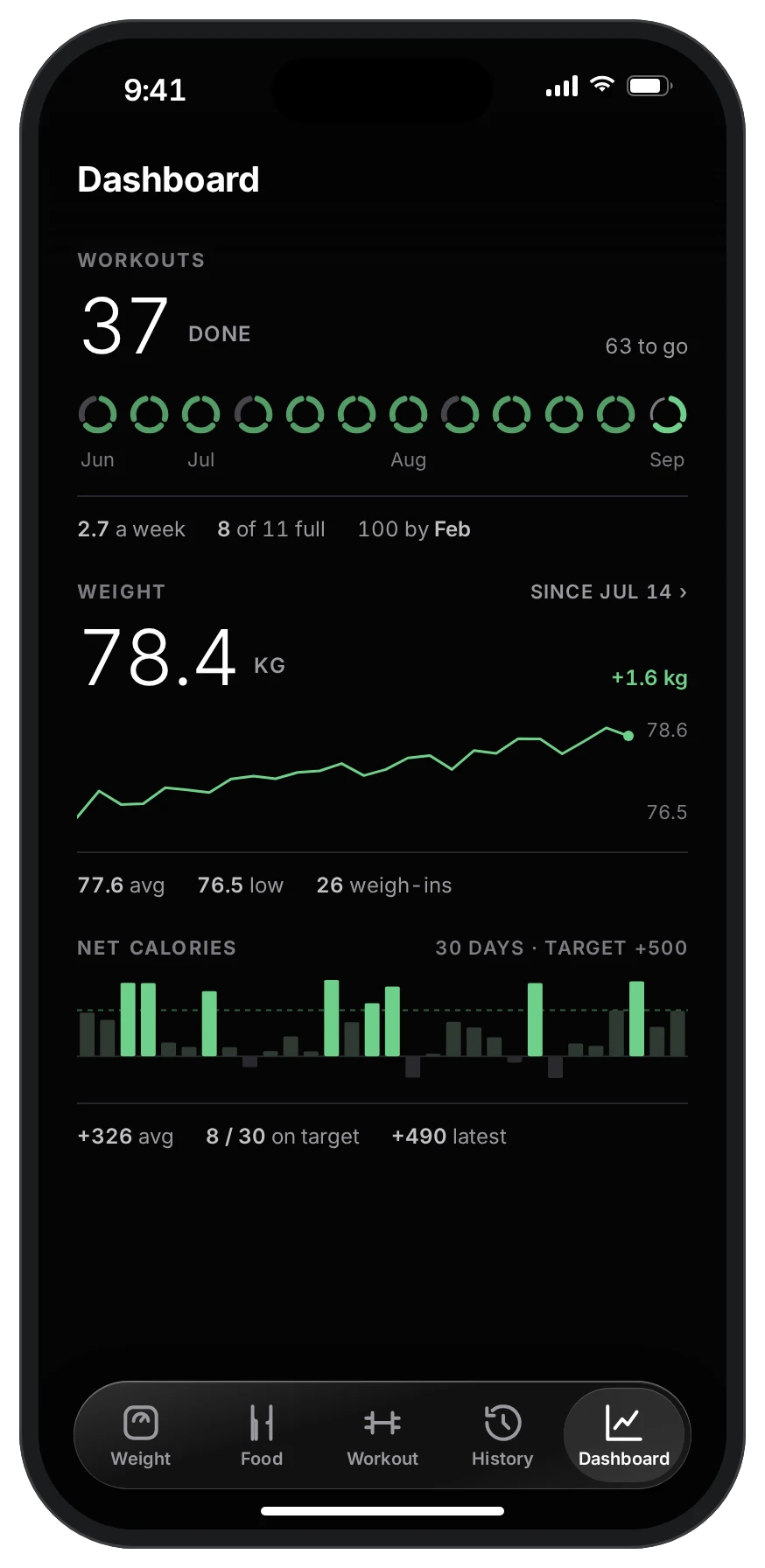
Three numbers, each with its line.

Workouts, weight and net calories on one screen. Turn the phone face down and every weight blurs, for the days you’d rather not look.

37workouts
78.4kg
+326avg net
Rules

Small decisions, made once

The app is held to a short list of rules. They’re why it feels calm.

  • No redNothing is ever red. Below target is graphite, waiting is amber. You’re not failing a test.
  • One accentMint marks only two things: what to do next, and what you achieved.
  • One buttonOne main action per screen. Everything else waits in a menu.
  • Asks firstReset asks, and names what you’d lose. Nothing is gone on a mis-tap.
  • PrivacyFace down blurs the weight. The Dashboard hides every weight value until you turn the phone back.
  • OfflineLogs land on the phone first. A weigh-in in a basement gym is saved, and syncs when there’s signal.
  • LegibleNothing under 11 points, every tap 44 wide. Numbers are tabular, so they don’t jitter as they count.
  • AccessReduce Transparency and Reduce Motion are honoured. Glass turns solid; slides become fades.
Why

A note from the person who made it

I built Tavona for myself. I was weighing in, logging food and lifting in three different apps, and every one of them made a bad day feel like a failed exam.

So I made the app I wanted to open every morning: one that does the counting, shows the number that matters, and stays out of the way. I’ve used it every day since. Now I’d like to share it, a few people at a time, so each of you gets my full attention.

MuhammadjonMaker of Tavona
FAQ

Before you join

When can I use it?

Tavona is invite-only while it’s polished. Invites go out in the order people joined, a few at a time, and each one comes with a personal code for Sign in with Apple.

Do I need a smart scale or a WHOOP?

No. Any bathroom scale with a display works: Tavona reads it from a photo, or you type the number. A WHOOP adds calories burnt; without one, food is measured against your own daily target.

Which phones does it run on?

iPhone, on iOS 26. It’s built natively in SwiftUI for Liquid Glass, with a Lock Screen Live Activity for rest. There’s no Android version yet.

What happens to my data?

It’s yours. Export everything as one file whenever you like, and deleting your account deletes all of it, not just the login. Logs are saved on the phone first, so nothing is lost without signal.

What will I get by email?

One message, with your invite. No newsletter, and your address is never shared.

Waitlist

Tomorrow morning, point at the scale.

Tavona opens to a few people at a time while it’s polished. Leave your email and you’ll get an invite when there’s room.

No newsletter. One email, when it’s your turn.

You’re on the list.We’ll write once, when there’s a place for you.